Quick guide/tutorial on how to activate the console in CS:Source. The method can also be used for other Steam games like CS 1.6, CS:GO etc…
Step by step guide
- Right click on Counter-Strike: Source
- Select “Properties”
- Click on “Set launch options…”
- Type “-console” and click OK
- Start Counter-Strike Source
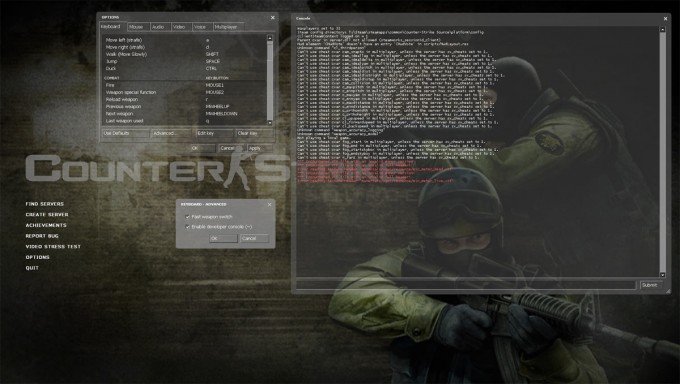
- Click on “Options”
- Select the “Keyboard” tab
- Click “Advanced..”
- Select the 2. option – “Enable developer console (~)”
That’s it, the console should work now. Press “Esc” in-game to get to the console (and menu).
Video guide